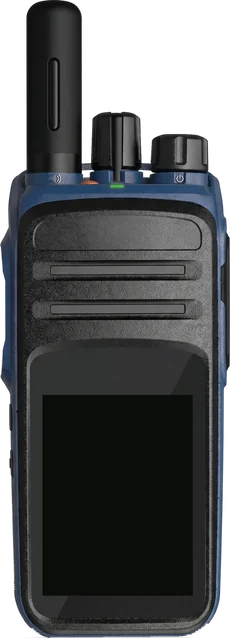
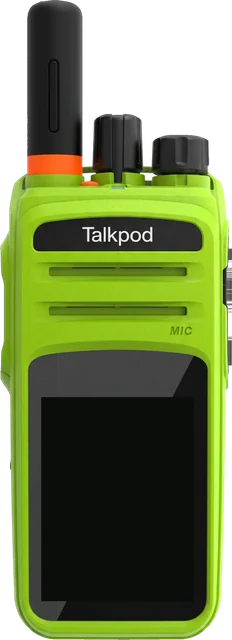
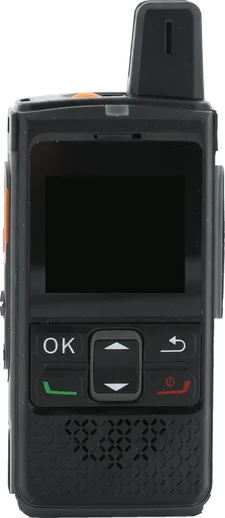
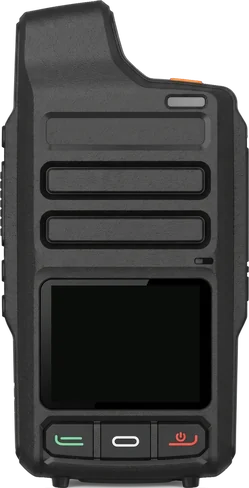
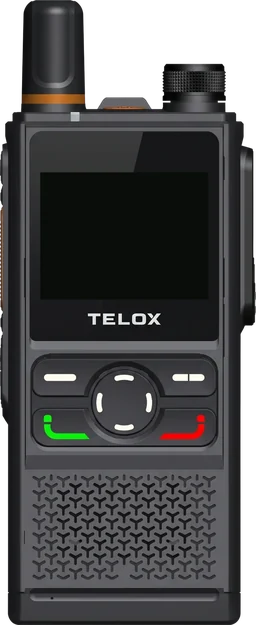
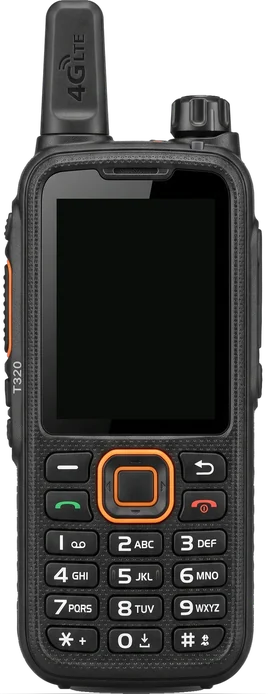
Talkpod N50 vs N50A: which radio is which?
The N50 and the N50A are the same screenless Android 9 radio family under two names, depending on who lists it. Check the Android version when you order, because an older listing also uses the N50 name.
| Source | Name used | What it says |
|---|---|---|
| Zello network-radio list | N50 | P1 and P2 side buttons, IP67, MIL-STD-810 |
| TASSTA approved devices | N50A | Radio, Android 9 |
| Talkpod brochure and manual | N50 | Android 9.0, MTK6739, versions A-A4-E18 and A-A4-E19 |
| Talkpod online shop | N50A | Options N50A-A4-E18 (Eurasian) and N50A-A4-E19 (American) |
| MCPTT Store listing (2021) | N50 | Tagged Android 4.4.2, 1650 or 3200 mAh, IP54 |
- Europe. Ask for N50A-A4-E18. It carries band 20 and band 28.
- Android. Ask for Android 9 on the order; the 2021 retailer listing is tagged Android 4.4.2.
- Apps. Zello names the N50 and TASSTA names the N50A, so both names point to the supported radio.
Talkpod N50A LED, knobs and keys: what each one does
With no screen, the N50A shows its state through an LED, sounds and the knobs. The manual lists the functions below.
| Control | Where | What it does |
|---|---|---|
| PTT pad | Left side | Press to talk; the call type follows the app |
| Side key 1 | Left side, below the PTT pad | Programmable; group, member or friend selection, SOS or broadcast |
| Side key 2 | Left side, lowest | Programmable; the manual suggests a long press for SOS |
| Channel knob | Top, middle | Turn to select a group, member, friend or function; Zello reads the channel name aloud |
| Power and volume knob | Top, right | Clockwise from the stop clicks the radio on, then raises volume; counterclockwise lowers volume, then clicks it off |
| LED | Top, front edge | Green while receiving, red while transmitting |
| Charging pattern | Manual, charging table | Steady red rapid charging, blinking green 90 percent, steady green full, blinking orange waiting, blinking red unchargeable |
- Channel names. Zello's setup article says to name channels with a two-digit prefix such as 01 and 02, up to 99, so the knob steps through them in order.
- Setup. Zello's article describes installing and configuring the app from a computer over USB with a remote-control app, once.
Will it work in your country?
The E18 version of the N50A lists 9 LTE FDD and 5 LTE TDD bands, including the 800 MHz band 20.
Push-to-talk apps for the N50A
Zello and TASSTA list the N50A as supported. Zello lists the radio as the Talkpod N50 with P1 and P2 side buttons, and its channel knob steps through Zello channels. TASSTA lists the N50A as an Android 9 radio. Press the PTT key and turn the knob on the radio at the top of the page to try it.
Ports and buttons
Turn the radio to see every side, the top and the bottom. Tap a row to find the part.
| Antenna | Top left, short black rubber antenna that screws on |
|---|---|
| Channel selection knob | Top, middle, tall knurled knob with a pointer fin; no end stop |
| Power and volume knob | Top right, shorter and wider knurled knob; click on and off, then volume |
| LED indicator | Top, at the front edge; green while receiving, red while transmitting |
| PTT pad | Left side, long pad with a white outline; hold to talk |
| Side key 1 | Left side, round programmable key below the PTT pad |
| Side key 2 | Left side, lowest round key; programmable, long press suggested for SOS |
| Speaker | Front, horizontal slots below the Talkpod plate |
| Microphone | Front, small hole at the right end of the lowest slot, marked MIC |
| K-type accessory connector | Right side, under a large rubber cover; headsets and program cable |
| Charging contacts | Back, four gold contacts at the bottom of the pack, for the desktop cradle |
| Battery pack | Back, black removable Li-ion pack that forms the back cover |
How big is it?
The N50A next to other radios, to scale. Pick up to three to compare.
Full specifications
Values come from the sources listed at the end of the page. Where they disagree, both values are shown.
| LTE FDD bands (E18, Europe) | B1 B3 B5 B7 B8 B18 B19 B20 B28A B28B |
|---|---|
| LTE TDD bands (E18, Europe) | B34 B38 B39 B40 B41 |
| LTE FDD bands (E19, US) | B1 B2 B3 B4 B5 B7 B12 B13 B17 B25 B26 B27 |
| 3G (WCDMA) | E18: B1 B2 B5 B8, plus TD-SCDMA B34 B35 and CDMA2000 BC0; E19: B1 B2 B4 B5 B8 |
| 2G (GSM) | 850 / 900 / 1800 / 1900 MHz |
| SIM | 1 standard SIM plus 1 nano-SIM (brochure); 1 standard SIM (manual); TF card slot up to 128 GB |
| Wi-Fi | 802.11 b/g/n, 2.4 GHz |
| Bluetooth | Bluetooth 4.0 with BLE |
| Receiver sensitivity | −106 dBm |
| Operating system | Android 9.0 |
|---|---|
| Chipset | MediaTek MTK6739 |
| Memory | 1 GB RAM and 8 GB storage |
| Google Play | Listed in the brochure, with a preloaded push-to-talk app |
| PTT platforms named | Zello lists the radio as the Talkpod N50; TASSTA lists the Talkpod N50A as an approved Android 9 radio |
| Satellite positioning | GPS; the brochure feature list adds GLONASS and BeiDou |
| Screen | None; no touch screen and no keypad |
|---|---|
| Keys | PTT pad, two programmable side keys, channel selection knob, power and volume knob |
| Battery | 7.4 V Li-ion, removable: 1650 mAh standard pack; 3000 mAh high-capacity pack in the manual and brochure, 3200 mAh on the Talkpod product page |
| Battery life (published figure) | 1650 mAh: 8 hours; 3000 mAh: 14 hours (5-5-90 duty cycle, brochure table). The brochure feature text gives about 12 hours for the high-capacity pack |
| Charging | Desktop cradle with a power adapter; four gold contacts on the back of the pack; optional Micro-USB pack (manual) and USB-C 3200 mAh pack (Talkpod site) |
| Water and dust rating | IP54 standard, IP67 optional (manual, brochure, spec table); IP67 in the product title and on Zello's listSources differ |
|---|---|
| Military standard | MIL-STD-810 (G on the Talkpod product page) |
| Drop | 1.5 m |
| Weight | 253 g (brochure and manual); 260 g (Talkpod product page) |
| Size | 115 × 56 × 30 mm (brochure and manual); 115 × 56 × 32 mm (Talkpod product page); height × width × depth, body without antenna |
| Speaker | 36 mm speaker (brochure spec table); 1 W (brochure feature text); 2 W (Talkpod product page)Sources differ |
| Left side | PTT pad with a white outline, two programmable round side keys below it |
|---|---|
| Top | Antenna, channel selection knob, power and volume knob, LED |
| SOS | Manual and brochure name a dedicated SOS button; the manual recommends a long press on side key 2 for SOS |
| Accessory connector | K-type (Kenwood two-pin) connector for headsets and the program cable, under a cover on the right side |
| Computer link | USB cable to a computer for setup, per Zello's article; the manual lists a K-connector program cable |
| FCC ID | 2ADQZTP4GNX, shared with other N5x models, granted 2019-06-18 |
|---|---|
| EU declaration of conformity | DoC250007 covering the N50, dated 10 September 2025 |
| Warranty | 2 years |
Where sources disagree
- Size and weight115 × 56 × 30 mm, 253 g (brochure and manual) · 115 × 56 × 32 mm, 260 g (Talkpod product page)
- High-capacity battery3000 mAh, Micro-USB option (manual and brochure) · 3200 mAh, USB-C option (Talkpod product page)
- Battery life8 hours (1650 mAh) and 14 hours (3000 mAh), brochure spec table · About 12 hours, high-capacity pack, brochure feature text
- SOS keySOS button on the top (manual and brochure text) · Top view shows antenna, two knobs and LED only; Zello lists P1 and P2 side buttons
- Water and dust ratingIP54 standard, IP67 optional (manual, brochure, spec table) · IP67 (product title, Zello)
- Speaker1 W (brochure feature text) · 2 W (Talkpod product page)
Questions
Which Android version does the Talkpod N50A run?
Talkpod's brochure and TASSTA's approved-device list give Android 9.0. The radio has a MediaTek MTK6739 chipset, 1 GB of RAM and 8 GB of storage, plus a TF card slot up to 128 GB. The brochure also lists Google Play.
How do you use the N50A without a screen?
You turn the channel knob on top to pick a channel or contact, and Zello reads the name aloud. You hold the PTT pad on the left to talk. Two side keys are programmable, and the LED shows green on receive and red on transmit.
Is the Talkpod N50 the same radio as the N50A?
Zello's list, the manual and the brochure say N50, while TASSTA and Talkpod's shop say N50A. Both describe a screenless Android 9 radio with the same knobs and keys. Talkpod's own option list names the N50A-A4-E18 and N50A-A4-E19 versions, so treat the two names as one family.
Which LTE bands does the Talkpod N50A use in Europe?
The E18 version lists LTE FDD bands 1, 3, 5, 7, 8, 18, 19, 20 and 28, and TDD bands 34, 38, 39, 40 and 41. Band 20 at 800 MHz belongs to E18. The E19 version for North America lists bands 2, 4, 12, 13, 17, 25, 26 and 27.
Is the Talkpod N50A waterproof?
Talkpod's manual, brochure and spec table give IP54 as standard and IP67 as an option. The product title and Zello's list say IP67. Ask the seller which build ships. The drop rating is 1.5 m, and the radio follows MIL-STD-810.
Which PTT apps run on the Talkpod N50A?
Zello lists it as the Talkpod N50, with P1 and P2 side buttons, and TASSTA lists the N50A as approved on Android 9. Because the radio runs open Android 9, the brochure also lists Google Play for other apps. Zello also publishes a setup guide for the N50, written for radios without a screen.
How long does the N50A battery last?
The brochure gives 8 hours with the 1650 mAh pack and 14 hours with the 3000 mAh pack on a 5-5-90 duty cycle, and about 12 hours for the high-capacity pack in its feature text. The Talkpod site lists that pack as 3200 mAh.