What is a Wi-Fi two-way radio?
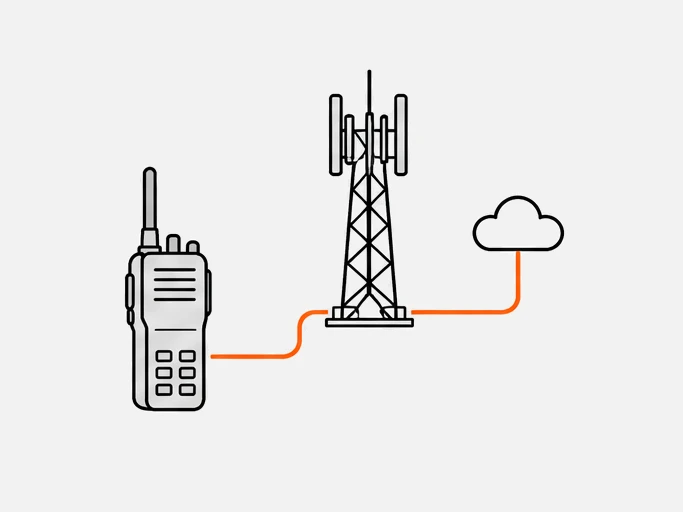
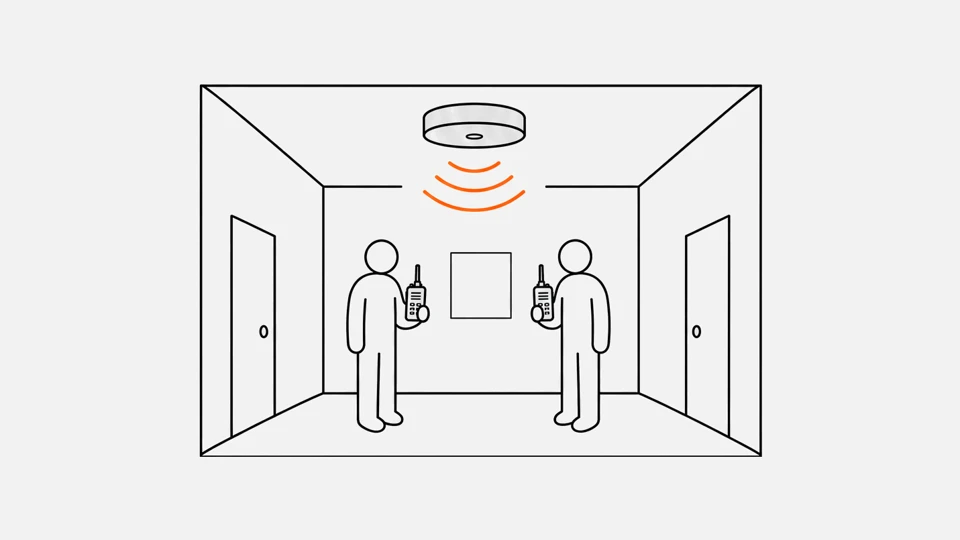
A Wi-Fi two-way radio is a push-to-talk device or app that carries group voice over a Wi-Fi network. Your voice travels as IP packets through a wireless access point, and everyone in the group hears it. It behaves like a PoC radio whose connection is Wi-Fi instead of a mobile network.
The term covers four kinds of product:
| Kind | Example |
|---|---|
| Wi-Fi-only radio | Motorola TLK 25 Wi-Fi, sold for hotels, resorts and retail12 |
| Radio with Wi-Fi and LTE | TLK 25 Wi-Fi + LTE; Hytera HyTalk devices that switch between Wi-Fi and LTE automatically23 |
| Push-to-talk app on a phone | Teams Walkie Talkie, which "works over Wi-Fi or cellular data"4 |
| Rugged device with a PTT client | Zebra PTT Express, which uses the existing WLAN without a voice server5 |
Wi-Fi calling is a different thing. It carries ordinary phone calls through your carrier over Wi-Fi, and an iPhone moves a call to cellular VoLTE if the Wi-Fi drops.6 It has no talkgroups or push-to-talk key.
Do walkie-talkies need Wi-Fi?
Most do not. License-free sets, DMR and TETRA radios talk directly or through repeaters and need neither Wi-Fi nor a mobile network. A Wi-Fi radio or PoC radio needs a data connection: Wi-Fi, a mobile network or both. The types of two-way radio page shows the split.
Microsoft states the limit plainly for its own app: Walkie Talkie works in low-bandwidth situations but not when there is no connectivity at all.4 The same holds for every Wi-Fi radio. If the site has dead zones, a radio with its own channel or an LTE fallback covers them.
How does push to talk over Wi-Fi work?
The radio digitizes your voice with a codec, packs it into RTP packets and sends them over UDP and IP, usually with SIP for call signaling. There are two ways to reach the group: through a server, or directly by multicast on the local network.
| Parameter | Typical value |
|---|---|
| Header per packet | 40 bytes: IP 20, UDP 8, RTP 127 |
| Packets per second | 50 at 20 ms packetization7 |
| Opus speech bit rate | 8 to 12 kbit/s narrowband, 16 to 20 wideband, 28 to 40 fullband8 |
| Server model | The PTT service in a cloud or on a company server; Teams Walkie Talkie needs access to Teams endpoints4 |
| Server-free model | Zebra PTT Express: multicast for the group call, "without the need for a voice communication server"59 |
| Talk groups | Up to 32 per Zebra PTT Express profile10 |
Multicast sends one stream that every group member hears, which saves server cost but ties the group to one network segment. In Zebra's design each access point transmits the multicast packet once, with no retries, at a fixed rate; the vendor says the access points must have IGMP snooping on.9
A server-based service works anywhere the radio can reach the server. That is how the same group can include a handset on Wi-Fi in the warehouse and one on LTE in a delivery van. The push-to-talk page covers the floor-control logic common to both.
The access points need voice-friendly settings too. Zebra asks for WMM, so voice packets get priority, a DTIM of 1 or 2 with a 100 ms beacon interval, so sleeping devices wake in time for group audio, and a session timer that is off or set to 24 hours.9
Which Wi-Fi bands do radios use?
Wi-Fi radios use the 2.4 GHz and 5 GHz bands, and newer devices can add 6 GHz. Push-to-talk vendors prefer 5 GHz: Zebra recommends it for PTT Express, and Cisco plans voice coverage on 5 GHz access points. On 2.4 GHz, Zebra uses only channels 1, 6 and 11 to avoid overlap.1112
| Band | Wi-Fi generations | Notes for push-to-talk |
|---|---|---|
| 2.4 GHz | All; most Wi-Fi 5 products are dual-band18 | Crowded; only three non-overlapping channels, 1, 6 and 1112 |
| 5 GHz | Wi-Fi 5 onward18 | The band Zebra and Cisco design voice for; Zebra advises against DFS channels1112 |
| 6 GHz (5.925–7.125 GHz in the US) | Wi-Fi 6E and Wi-Fi 71718 | Opened for unlicensed use by the FCC in April 2020; a device must support it |
| Below 1 GHz | Wi-Fi HaLow18 | About 1 km range for sensors and wearables; not a voice band in today's PTT products |
The band decides little about voice quality on its own. A push-to-talk stream needs a few tens of kilobits per second; what matters is a clean signal and short airtime at every spot where people work. Zebra also asks that access points and devices use the same country code.12
How far does a Wi-Fi radio reach?
It reaches as far as your access points do. A handset works in every spot where it hears a good access point and stops where it does not. Coverage is something you design, not a number on a box, and the range calculator applies only to radios with their own channel.
Vendors give numbers for the design:
| Item | Figure |
|---|---|
| Signal at every spot | At least two 5 GHz access points at -67 dBm or stronger (Cisco, for its Wi-Fi phone)11 |
| Warning time before a roam | The phone should hear the next access point at least 5 seconds before it needs it11 |
| Lowest data rate | 12 Mbps, or 6 Mbps where multipath is significant11 |
| Multicast rate (Zebra) | Start at 24 Mbps and lower it until at least 90% of packets arrive anywhere in the cell9 |
| Roam with 802.11r | 4 to 50 ms, measured in a lab in perfect conditions13 |
| Roam with full authentication | 120 ms to a couple of seconds13 |
Roaming is the hard part. When you walk from one access point to the next, a full re-authentication can take seconds, long enough to lose the start of a transmission. 802.11r Fast Transition does the handshake with the new access point before the client leaves the old one.13
Support differs by device: Cisco's 8821 phone supports 802.11r but not 802.11k or 802.11v.11 Check the device's roaming support before buying. Cisco also notes that most clients only start looking for a new access point when the signal drops below about -70 to -75 dBm, which is why the design margin above matters.13
How much data does a Wi-Fi radio use?
About 6.5 to 22 MB per hour of talk in one direction, depending on the codec and the app. That is 14 to 49 kbit/s while someone speaks and almost nothing when the channel is idle, which is tiny next to what a Wi-Fi network carries. The table converts the published figures.
| Basis | Rate on the wire | MB per hour of talk |
|---|---|---|
| Teams Walkie Talkie, sending or receiving | about 20 kbit/s4 | 9 |
| AMR 12.2 kbit/s, 200 ms packets, IPv4 | 14.4 kbit/s14 | 6.5 |
| Opus 16 kbit/s, 20 ms packets, IPv4 (16 + 16 kbit/s of headers) | 32 kbit/s78 | 14.4 |
| Zebra PTT Pro on 4G, 5G or Wi-Fi | about 49 kbit/s15 | 22 |
The Opus row follows from the codec rate and the 40-byte header at 50 packets per second.78 One conversion is used throughout: MB per hour equals kbit/s times 0.45. Twenty groups talking at once at 32 kbit/s add up to 640 kbit/s, so capacity is rarely the limit. Airtime, signal quality and roaming are.
Use the RoIP bandwidth calculator with Opus 16 kbit/s to work out kbit/s per voice channel for your codec and packet size, and the PoC data usage calculator for monthly totals.
What happens when a Wi-Fi radio leaves the building?
A Wi-Fi-only radio goes silent once it loses the last access point. A radio or app that also has LTE moves the call to the mobile network and keeps the talkgroup. Motorola sells the TLK 25 in both versions, Hytera's HyTalk switches automatically, and Teams Walkie Talkie uses whichever data connection the phone has.234
| Device or app | Networks | What happens outside Wi-Fi |
|---|---|---|
| Motorola TLK 25 Wi-Fi | Wi-Fi only12 | Out of service |
| Motorola TLK 25 Wi-Fi + LTE | Wi-Fi and LTE2 | Continues on the mobile network |
| Hytera HyTalk devices | Wi-Fi and LTE3 | Switches automatically |
| Teams Walkie Talkie on a phone | Wi-Fi or cellular data4 | Uses the phone's mobile data |
| Zebra PTT Express | The site WLAN, multicast5 | Out of service; the group is tied to the local network |
| Kyocera DuraForce PRO 3 with a PTT app | Cellular or Wi-Fi19 | Uses the phone's mobile data |
The switch only works when the push-to-talk service runs on a server both networks can reach, a cloud or a company server open to the internet. A multicast group such as PTT Express lives inside the site network, so it cannot follow a user outside.59 See 4G LTE walkie-talkies for the mobile side.
What does a Wi-Fi radio cost?
The monthly service is the main cost. A US Motorola dealer lists the TLK 25 Wi-Fi at $16 per month and the Wi-Fi + LTE version at $23, both with no device payment on a 30-month contract, read in October 2026. Teams Walkie Talkie comes with every paid Teams license.24
| Option | Price, as listed | What it includes |
|---|---|---|
| TLK 25 Wi-Fi, WAVE PTX base package | $0 device, $16 per month, 30-month contract2 | Group and private calls, talkgroups up to 250 users2 |
| TLK 25 Wi-Fi + LTE, base package | $0 device, $23 per month, 30-month contract2 | The same, plus the mobile network |
| SafeGuard package, either TLK 25 | $20 or $27 per month2 | Emergency calling, talkgroups up to 3,000, MOTOTRBO interoperability2 |
| Teams Walkie Talkie | Included in all paid Teams licenses4 | App on Android and iOS; any phone or rugged device with a PTT key |
| Zebra PTT Express | No voice server needed5 | Client on supported Zebra devices on your WLAN |
The Wi-Fi-only plan saves $7 per device per month against Wi-Fi + LTE at that dealer.2 That is the price of a radio that keeps working in the parking lot. The cost calculator compares ownership costs across radio types.
When does Wi-Fi fit better than LTE?
Wi-Fi fits where you already own the coverage and the mobile signal is weak or unneeded. Typical sites are warehouses, hotels, hospitals, retail stores, ships and campuses with poor cell reception inside the buildings. LTE fits wherever people leave the building, so most fleets that roam carry both.
| Situation | Why Wi-Fi works |
|---|---|
| Hotels and retail | Staff stay inside one building with dense access points; the device needs no SIM |
| Warehouses and plants | Thick walls and steel racking block LTE; your access points do not depend on a carrier |
| Ships | A ship's onboard network works at sea where the shore network does not |
| Sites with weak signal | You place the access points where people work |
Teams on foot, vehicles and field crews roam beyond any access point. For them, a radio with both networks, or a PoC radio on LTE, is the safer choice.3
| Wi-Fi radio | PoC on LTE | |
|---|---|---|
| Standard | Vendor protocols or SIP and RTP over IP57 | Set by the PTT platform; MCPTT for mission-critical use16 |
| Radio channel | The access point's 2.4, 5 or 6 GHz channel1718 | The mobile operator's LTE bands |
| Network | Your own WLAN, and a server or multicast | Mobile network and a PTT server |
| Range | Wherever your access points reach | Wherever the operator has coverage |
| Access or license | A Wi-Fi network key; no SIM | A SIM and a PTT service |
| Data | Your own bandwidth | A mobile data allowance |
What are the pros and cons of Wi-Fi radios?
The main advantages are cost and indoor coverage: no SIM, no mobile data plan and a signal wherever you place access points. The main drawbacks are the edge of the network and roaming: a Wi-Fi-only radio stops at the last access point, and handoffs depend on the device and your network design.
| Pros | Cons |
|---|---|
| No SIM, no carrier contract, no monthly data cost | Coverage ends at the last access point |
| Coverage where LTE does not reach indoors | Roaming quality depends on the device and the network design |
| Uses a network you already run | Multicast needs access point settings such as IGMP snooping9 |
| Low data use per talker | Radios that only do Wi-Fi stop working outside the site |
How this relates to PoC radio
A Wi-Fi radio is a PoC radio on a different access network. Push-to-talk over cellular and push-to-talk over Wi-Fi share the same ideas: IP voice, talkgroups, floor control and a server. Many devices do both. What changes is who runs the network: a carrier for LTE, you for Wi-Fi.
Many PoC platforms accept either connection in one app, so a site team on Wi-Fi and a driver on LTE can share a talkgroup. For the mobile side, see what is a PoC radio and 4G LTE walkie-talkies.
Questions
Can I use a Wi-Fi walkie-talkie outside the building?
Only while a Wi-Fi network is in reach. A Wi-Fi-only radio stops working beyond the last access point; a radio with LTE as well keeps the call going on the mobile network.23
Does Wi-Fi calling work as a walkie-talkie?
No. Wi-Fi calling carries normal phone calls through your carrier; an iPhone hands the call to VoLTE if the Wi-Fi drops.6 There are no talkgroups or push-to-talk key.
How many users can one Wi-Fi network support?
The audio is small, about 14 to 49 kbit/s per talker.41415 The practical limit is airtime and coverage, which depends on your access points.
What is the difference between Wi-Fi PTT and PoC?
Both send push-to-talk voice as data. PoC usually means a mobile network; Wi-Fi PTT means your own wireless network. Many devices do both.3
Sources
- Delivering Enhanced Guest Experiences and Safety with the TLK 25 Wi-Fi · Motorola Solutions
- WAVE PTX Safeguard Package: TLK 25 Wi-Fi only and Wi-Fi and LTE plans · Mobile Communications of America (dealer, October 2026)
- PTT Express: Introduction and supported devices · Zebra Technologies
- Make a call with Wi-Fi Calling · Apple
- PTT Express: Recommended WLAN access point configuration · Zebra Technologies
- PTT Express: Channel list settings · Zebra Technologies
Show all 19 sources
- PTT Express: Network recommendations · Zebra Technologies
- 3GPP TR 23.979, annex A.2: bandwidth for AMR over RTP/UDP/IP · 3GPP (mirror of the specification)
- Workcloud Communication PTT Pro for Android: data usage · Zebra Technologies
- Mission critical services · 3GPP
- Discover Wi-Fi: Wi-Fi generations and bands · Wi-Fi Alliance
- DuraForce PRO 3 · Kyocera