How do you use a two-way radio?
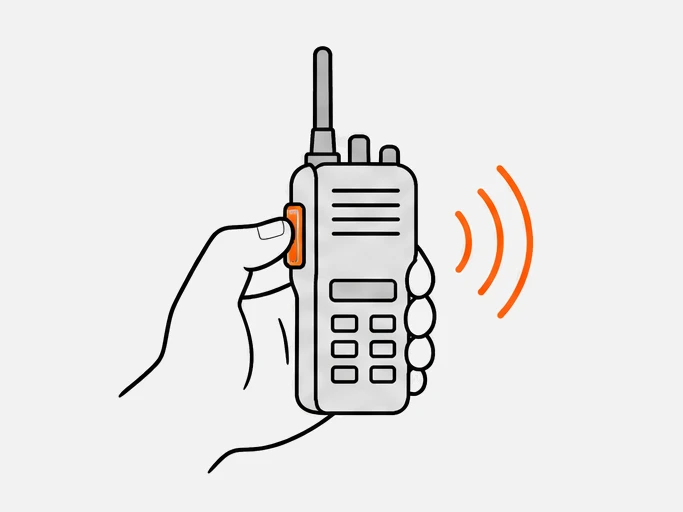
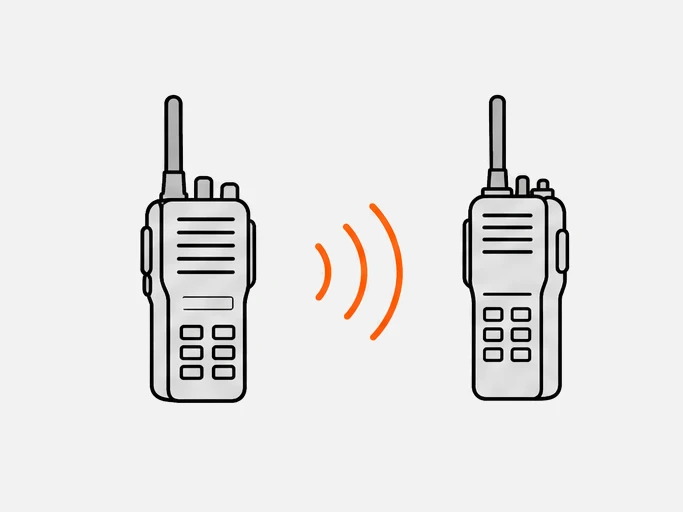
To use a two-way radio, charge it, switch it on, set the same channel and privacy code as the rest of your group, and set the volume. Then press and hold the push-to-talk button, speak, and release to listen. Only one radio can transmit at a time, so everyone else hears you and waits.
- Match channel and codeevery radio in the group must use the same ones, or it will not hear the others.2
- Set the volumeraise it until speech is comfortable, and keep the radio away from your ear.2
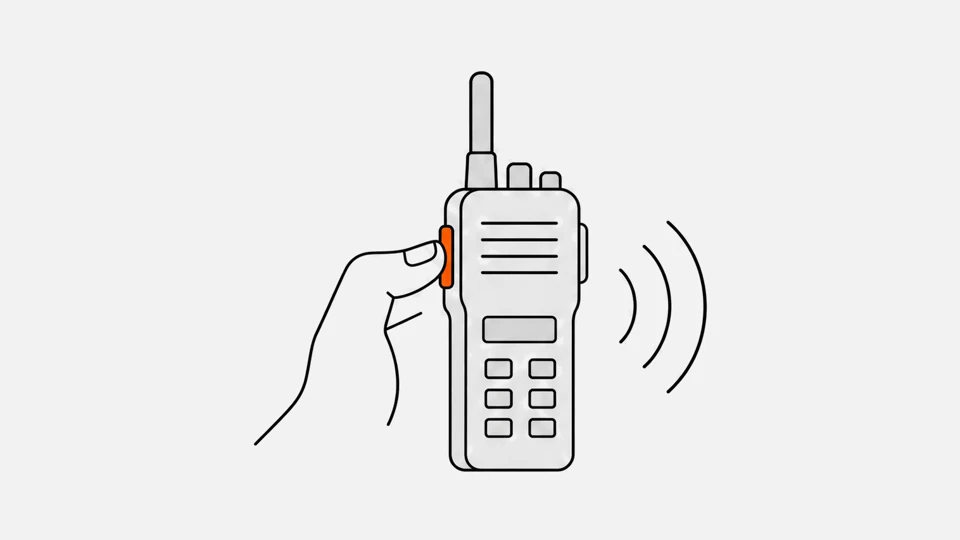
- Press, pause, speakhold the push-to-talk button, wait a beat, and talk across the microphone.
- Release and listenthe radio returns to receive when you let go, and the other person answers.
How do you set the channel, privacy code and squelch?
Set the channel first, then the code. The channel decides the radio frequency, so pick one nobody nearby is using. The code, if your radio has one, makes a receiver ignore signals that do not carry the matching tone or code. Code 0 or off passes everything on the channel, including other groups.12
| Setting | What it does | Where to look up values |
|---|---|---|
| Channel | Selects the frequency; FRS has 22 channels, PMR446 has 16 analog ones34 | Frequency charts |
| Privacy code | Blocks signals without the matching tone or code; Motorola's MS350 has 121 settings2 | CTCSS and DCS codes |
| Monitor / squelch | Squelch keeps the speaker silent until a signal arrives; monitor opens it so you hear static and weak signals, and shows whether a channel is busy12 | Radio menu |
| Roger tone | A beep when you release the button; Motorola likens it to saying "roger" or "over"12 | Radio menu |
A privacy code is not encryption. It mutes other users on your channel; anyone with the code at zero still hears you.1 Code numbers differ between makers, so convert them in the CTCSS and DCS codes tool before mixing brands. For a team, write down who uses which channel and what to call each person: the radio communication plan tool builds that page.
How do you talk on a walkie-talkie?
Press and hold the push-to-talk button, wait a beat, speak in your normal voice, then release. Hold the radio about 5 cm (2 inches) from your mouth and talk across the microphone, not into it. Keep each transmission short; the radio cuts you off after a time-out.51
- Distance: Tait gives 2 to 5 cm (1 to 2 inches) and advises speaking past the microphone to avoid pops.5 A Motorola Talkabout guide says two to three inches and not to cover the microphone.2
- The pause: starting too early or releasing too early can cut off words, and on many trunked and digital radios a tone signals that you are connected, so wait for it.6
- Time-out: the PMR446 decision sets a 180-second maximum transmission for radios with a latching push-to-talk,3 and one consumer radio ends a transmission after one minute even if you keep the button down.1
- Release promptly: military net rules list prompt release of the press-to-talk switch as mandatory discipline.7
- Pace: speak no faster than the person with the worst reception can follow.7
When should you use VOX?
Use VOX when your hands are busy and the place is quiet. VOX (voice-operated transmission) starts transmitting when the radio hears you speak, so you do not press anything. Set the sensitivity low in noisy places and high in quiet ones, and press the push-to-talk button to cancel it.1
On Motorola's T38, level L3 suits quiet places, where speaking softly is enough, and L1 suits noisy ones. The built-in microphone is used unless a VOX headset is connected.1 Noise can trigger VOX, so it works best with a headset in a quiet place.
What is two-way radio etiquette?
Listen before you talk, think what you will say, keep it short, and release the button when you finish. The mandatory rules for military radio nets are a good model for any shared channel, and most dealer and maker guides repeat them.7
| Do | Do not |
|---|---|
| Listen before transmitting to make sure the channel is clear7 | Talk over someone or start while the channel is busy |
| Answer calls promptly and in the order received7 | Make unnecessary or unduly long transmissions7 |
| Release the press-to-talk switch promptly7 | Chat, or lose your temper or use profane language7 |
| Keep a listening watch on the channel7 | Assume the channel is private: anyone on it can hear |
| Use plain language when other agencies or teams join an incident8 | Use 10-codes in a multi-agency incident: plain language is required there8 |
US GMRS adds one rule: give your FCC call sign after your transmissions and at least every 15 minutes during a longer conversation.9 The radio codes tool looks up 10-codes, Q codes and slang, and warns where a code means different things.
What do "over", "out" and "roger" mean?
"Over" means "I have finished, your turn to answer." "Out" means "I have finished and no answer is expected." "Roger" means "I received your last transmission." They are procedure words, called prowords, which replace whole sentences to keep voice traffic short and clear.7
| Word | Meaning | Note |
|---|---|---|
| OVER | End of transmission; a reply is expected | Every transmission ends with OVER or OUT7 |
| OUT | End of transmission; no reply expected | Ends the exchange7 |
| ROGER | Message received | Not "yes" or "I agree"7 |
| WILCO | Received, understood, will comply | Includes ROGER, so the two are not used together7 |
| SAY AGAIN | Repeat your last transmission | The reply begins "I SAY AGAIN"7 |
| WAIT | Pause of up to five seconds | WAIT OUT means a longer pause7 |
| RADIO CHECK | How do you hear me? | Plain ROGER in reply means loud and clear7 |
"Over and out" combines two opposites: OVER asks for an answer and OUT says none is needed, and the military rules end each transmission with one or the other.7 Midland's guide calls it the proper way to disconnect, so you will hear both.10 Everyday words such as "copy", "affirmative" and "go ahead" are convention, not official prowords: Midland uses "do you copy" to check that you are heard and "affirmative" as a "yes" that survives crackle.10
How does the phonetic alphabet work?
The phonetic alphabet replaces each letter with a code word so names, plates and call signs survive noise. Use the ITU's 26 words: Alfa for A, Bravo for B and so on to Zulu. Say them clearly and, for a hard word, say "I spell" first. Numbers are spoken digit by digit in difficult conditions.711
| Letter | Word | Letter | Word | Letter | Word |
|---|---|---|---|---|---|
| A | Alfa | J | Juliett | S | Sierra |
| B | Bravo | K | Kilo | T | Tango |
| C | Charlie | L | Lima | U | Uniform |
| D | Delta | M | Mike | V | Victor |
| E | Echo | N | November | W | Whiskey |
| F | Foxtrot | O | Oscar | X | X-ray |
| G | Golf | P | Papa | Y | Yankee |
| H | Hotel | Q | Quebec | Z | Zulu |
| I | India | R | Romeo |
Digits are said wun, too, tree, fow-er, fife, six, sev-en, ait, nin-er and zee-ro.12 Alfa and Juliett are the official spellings.11 To read "AB 12" on a plate: "I spell Alfa Bravo, figures wun too."7
How do you start and end a call?
Say who you are calling, then who you are, then your message, then "over". Military procedure puts the called station first: "3C, this is 4D, radio check, over." The answer swaps the names. Some civilian guides put the caller first; pick one order and write it down.710
A radio check follows the same pattern. If the reply is only "roger", reception is loud and clear; if not, the answer says how it hears you, such as "weak but readable".7 Military rules do not use "five by five" for this.7 Typical exchanges:
- Call: "Reception, this is Unit 4. Radio check. Over."
- Answer: "Unit 4, this is Reception. Roger. Over."
- Close: "Reception, this is Unit 4. Roger. Out."
- Missed word: "Say again, over." The reply starts "I say again."7
How do you make an emergency call?
MAYDAY is the call for a ship, aircraft or other vehicle in grave and imminent danger: say it three times, then "this is", your name, your position, the nature of the distress and the help you need. Everyone who hears it stops transmitting and listens.1314 On a site radio, follow your site's emergency procedure.
| Part of the call | What you say |
|---|---|
| Distress signal | MAYDAY, spoken three times13 |
| Who you are | "This is", then your name three times and your call sign or other identification once13 |
| Message | Position, number of people aboard, nature of the distress, help needed and a description13 |
| Listening | Everyone who hears it stops transmitting that could interfere and keeps listening13 |
MAYDAY is the international radiotelephone distress signal, pronounced like the French "m'aider".14 Radio rules for consumer services allow emergency use: US FRS units may send one-way emergency messages,15 and any US GMRS channel may carry emergency communications, which take priority over everything else.16
Why can't two radios hear each other?
Radios that cannot hear each other almost always differ in channel, code or band. Check them in that order, then the battery, the volume and the distance.
| Symptom | Likely cause | Fix |
|---|---|---|
| Silence | Different channel | Set the same channel on every radio; use monitor to check for traffic12 |
| Silence in one direction | Different privacy codes | Set the same code, or set it to zero on all radios1 |
| No contact on any channel | Different bands: VHF and UHF radios generally cannot talk17 | Use one band for the whole team: UHF vs VHF |
| No contact between a US and a European radio | FRS is at 462 and 467 MHz, PMR446 at 446 MHz34 | Use radios of one service: FRS vs GMRS |
| Cut off mid-sentence | Transmit time-out1 | Release and press again |
| Weak or dropping | Distance, walls or a low battery | Range, long-range guide |
Mixed analog and digital fleets add one more check: the digital radio compatibility tool tells you which pairs interwork. Even good radios misbehave when held together: Motorola's MS350 guide says not to use the radios closer than five feet apart.2
How is a PoC radio different to use?
A PoC radio keeps the press-to-talk button but drops the channel dial. It joins a group on a push-to-talk service over the mobile network instead of tuning a frequency, so distance between users does not matter and coverage at each end does. Groups and users are set in the service, not on the radio.
Etiquette, call structure and the phonetic alphabet carry over. Setup differs: a SIM or Wi-Fi connection and an account replace channel and code. See what is push to talk and what is a PoC radio for the network path, and try the radio simulator to press PTT on a simulated radio before you buy. What is a walkie-talkie covers the direct-radio side.
Questions
How do you turn on a walkie-talkie?
Press and hold the power key for 3 seconds on a Motorola MS350; other models use a knob or a menu key. The radio chirps and shows its channel and code.2
How do you talk on a walkie-talkie?
Press and hold the push-to-talk button, wait a beat, speak across the microphone about 5 cm away, say "over" and release to listen.51
Is "over and out" correct?
Military procedure ends a transmission with "over" or "out", not both. "Over and out" is widely understood.710
Sources
- Talkabout T38 user guide (MN007504A01-AB) · Motorola Solutions
- MS350 series user guide (KEM-ML36100-15) · Motorola Solutions
- 47 CFR 95.563: FRS channels · eCFR
- How to use your radio microphone · Tait Communications
- Microphone manners: how to use your radio microphone · Tait Radio Academy
- ACP 125(G): Communications Instructions, Radiotelephone Procedures, paras 306–317, 404, 536, 631–636 and Annex A to Chapter 3 · CCEB (unclassified edition, November 2016)
- Walkie talkie lingo: sound like a pro · Midland
Show all 18 sources
- Radiotelephone Handbook CGTTP 6-01.1B, distress calls and messages · US Coast Guard, hosted by CISA
- UHF radio vs VHF radio · Hytera
- Plain Language Guide: Making the Transition from Ten Codes to Plain Language (July 2008) · DHS SAFECOM, hosted by CISA